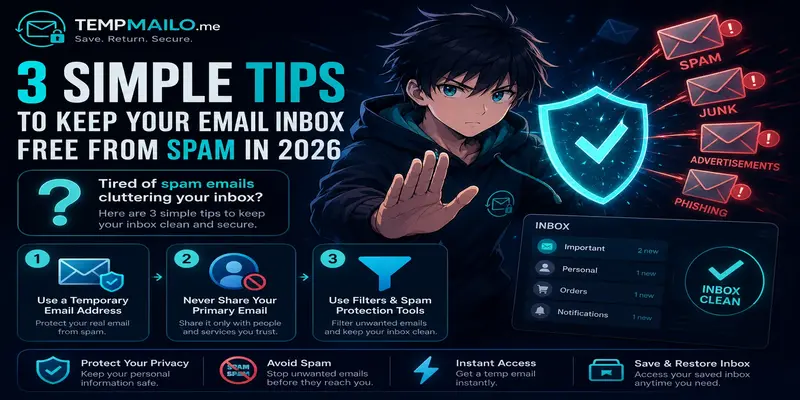
3 Simple Tips to Keep Your Email Inbox Free from Spam in 2026
Unwanted emails are more than a small annoyance. They can make your inbox messy, waste your time, hide important messages, and sometimes expose you to unsafe links or fake offers. The good news is that you can reduce the problem with a few simple habits.
This guide explains three practical ways to keep your inbox cleaner in 2026: protect your main address, use separate inboxes for low-risk signups, and improve your filtering system.
Table of Contents
- Why Unwanted Emails Are a Problem
- Tip 1: Use a Separate Inbox for Quick Signups
- Tip 2: Stop Sharing Your Main Address Everywhere
- Tip 3: Use Filters and Built-In Protection Tools
- Why Save and Restore Inbox Helps
- Extra Habits That Keep Your Inbox Clean
- When You Should Use Your Real Email
- Frequently Asked Questions
Why Unwanted Emails Are a Problem
Many websites ask for an email address before you can download a file, join a community, claim a discount, or create a trial account. Some of these websites are useful, but not all of them respect your inbox.
After one simple registration, you may start receiving newsletters, promotional offers, product updates, or messages from companies you do not remember joining. In worse cases, your address may be added to marketing lists or exposed through weak data practices.
The problem grows over time. Once your main address is shared across too many websites, it becomes harder to know which service caused the issue. This is why inbox protection should begin before you sign up, not after the damage is already done.
Tip 1: Use a Separate Inbox for Quick Signups
One of the easiest ways to reduce unwanted messages is to avoid using your personal inbox for every website. When you only need to receive a confirmation link, activation message, or one-time code, a short-term inbox can be a better choice.
This approach is useful for low-risk activities such as downloading a free guide, testing a tool, joining a forum, or creating a temporary trial account. If you are new to the concept, read our guide about what a disposable email address is and how it works.
The idea is simple: keep your main address for important communication and use a separate address for websites you do not fully trust yet. This helps prevent your personal inbox from becoming the default target for every promotion or automated campaign.
You can also learn more about everyday use cases in our article on where and when to use temp mail safely.
Tip 2: Stop Sharing Your Main Address Everywhere
Your primary email should be treated like an important personal asset. It is usually connected to your bank, phone, social accounts, cloud storage, work tools, family contacts, and password recovery options. Sharing it everywhere increases both clutter and risk.
Before entering your address on a website, ask yourself one question: will I still need this account in six months? If the answer is no, it may be better to use a separate inbox instead.
This does not mean you should never share your real email. It means you should reserve it for trusted services, long-term accounts, and situations where account recovery is important.
For example, use your main address for banking, business tools, government services, school accounts, payment platforms, and personal communication. For quick downloads, newsletters, and test accounts, use a safer alternative.
If your main goal is privacy, our guide about how temporary email protects your privacy explains why separating inboxes can reduce unnecessary exposure.
Tip 3: Use Filters and Built-In Protection Tools
Even if you are careful, some unwanted messages may still reach your inbox. That is why you should use the protection tools already available in your email provider.
Most major providers include spam detection, sender blocking, unsubscribe tools, and custom filters. These features help organize incoming messages and reduce future distractions.
- Mark suspicious messages as spam instead of only deleting them.
- Block senders that repeatedly send unwanted messages.
- Create folders for receipts, newsletters, and account notifications.
- Use filters to move low-priority emails away from your main inbox.
- Unsubscribe from newsletters you no longer read.
- Review app permissions connected to your email account.
Filters are especially useful when you already receive too many messages. They do not solve the root cause, but they help you regain control while you improve your signup habits.
Why Save and Restore Inbox Helps
One common problem with short-term inboxes is losing access too quickly. Sometimes you receive a confirmation email today, but the same website asks for another verification message later.
TempMailo solves this problem with a Save and Restore Inbox feature. It lets users return to an inbox later when they need access to important messages, activation links, or account confirmations.
This is useful when you want privacy but still need some control over previous messages. You can learn more in our guide: Can you save a temporary email address?
For a deeper comparison, read why Save and Restore Inbox is better than traditional temp mail.
Extra Habits That Keep Your Inbox Clean
The three main tips above are enough for most people, but a few extra habits can make your inbox even cleaner.
- Do not publish your email address publicly on forums or social media.
- Use different inboxes for work, personal life, and online registrations.
- Be careful with giveaway websites and coupon pages.
- Avoid clicking unsubscribe links in suspicious messages.
- Delete accounts you no longer use.
- Check privacy settings before joining new platforms.
- Use strong passwords and two-factor authentication for important accounts.
These habits reduce exposure and make it harder for unwanted senders to reach your personal account.
When You Should Use Your Real Email
A separate inbox is useful for privacy and spam control, but it is not the right choice for every situation. Some accounts are too important to connect to an address you may not use long term.
Use your permanent email for accounts where recovery, ownership, identity verification, and long-term access matter.
- Banking and financial services.
- Government websites.
- Business platforms.
- Primary social media accounts.
- Paid subscriptions you need to keep.
- School, work, or legal accounts.
- Cloud storage and password managers.
For low-risk registrations, a separate inbox is helpful. For important accounts, use a secure address you fully control.
Frequently Asked Questions
Can a separate inbox reduce spam?
Yes. It helps prevent websites from adding your personal address to marketing lists or promotional campaigns.
Is TempMailo free?
Yes. TempMailo lets users generate an inbox and receive messages without paying.
Can I save my inbox?
Yes. TempMailo includes a Save and Restore feature for users who may need access again later. You can visit the Save Temp Email page for more details.
Can I receive verification codes?
In many cases, yes. Confirmation links, activation messages, and verification codes can usually be received normally.
Should I use it for important accounts?
No. For banking, business, government, and long-term personal accounts, use a permanent secure email address.
Conclusion
Keeping your inbox clean starts with protecting your main address. Use a separate inbox for low-risk signups, stop sharing your personal account everywhere, and take advantage of filters and built-in protection tools.
TempMailo helps users receive messages quickly while keeping their personal inbox away from unnecessary exposure. With Save and Restore Inbox, it also gives more flexibility when access to previous messages matters.
Related Resources: