Temp Mail for Facebook Verification: Is It Safe to Use in 2026?
Facebook is still one of the most used social platforms in the world. When creating an account, users are usually asked to provide an email address for confirmation, security alerts, password recovery, and account updates.
Some users prefer not to share their personal inbox during every online registration. In that situation, a temporary inbox can help receive confirmation messages while keeping a main email address private. However, it is important to understand when this is useful, when it is risky, and how to use it safely.
Table of Contents
- What Does It Mean?
- Why Facebook Asks for Email Verification
- Can You Use a Temporary Inbox for Facebook?
- Main Benefits
- Risks and Limitations
- How to Use It Safely
- Why Save and Restore Inbox Matters
- Frequently Asked Questions
What Does It Mean?
Using a temporary inbox for Facebook means receiving the confirmation email without using your personal email account. This can be useful when you want more privacy, want to test a registration flow, or do not want social notifications mixed with personal messages.
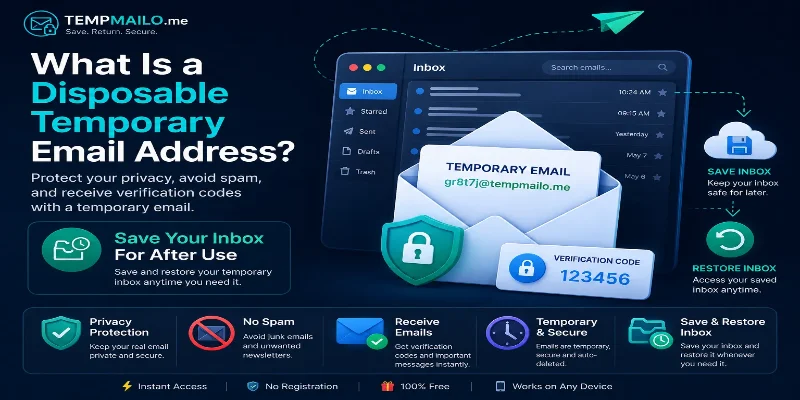
If you are new to this topic, start with our guide about what a disposable email address is and how it works.
The goal is not to replace your primary email for every situation. It is to use the right inbox for the right purpose.
Why Facebook Asks for Email Verification
Facebook uses email confirmation to help verify that a user controls the address connected to the account. It can also be used for login alerts, password resets, account recovery, and security notifications.
This process helps platforms reduce fake registrations and protect users from losing access. For that reason, the email you use during registration may matter later, especially if the account becomes important.
- Confirm account ownership.
- Send password reset messages.
- Provide security alerts.
- Help recover account access.
- Deliver important account notifications.
Can You Use a Temporary Inbox for Facebook?
In some cases, yes. A temporary inbox may receive a confirmation message just like a normal email service. This can be helpful for low-risk registrations, testing, or privacy-focused use.
However, acceptance can change. Facebook may block some domains, ask for extra verification, or require another method later. That depends on its own systems and policies.
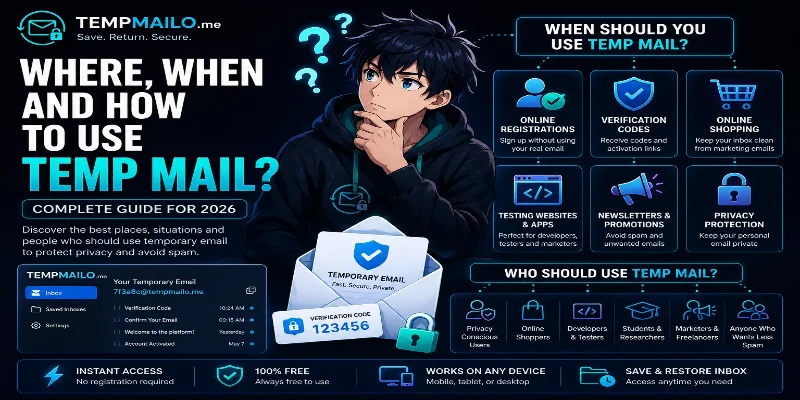
For general safety advice, read where and when to use temp mail safely.
Main Benefits
Using a separate inbox can help reduce exposure of your personal email address. It can also keep social media messages away from your important personal or work inbox.
- Keep your personal inbox private.
- Reduce unwanted messages and notifications.
- Separate testing accounts from real accounts.
- Avoid sharing your main address with every platform.
- Receive confirmation messages quickly.
If your main concern is privacy, our article about how temporary email protects your privacy online explains why separating inboxes can reduce unnecessary exposure.
Risks and Limitations
The biggest risk is losing access later. If Facebook sends another confirmation message, recovery email, or login alert in the future, you may need the same inbox again.
This is why you should not use a short-term inbox for a primary Facebook account, business page, advertising account, or profile you cannot afford to lose.
- The inbox may disappear if it is not saved.
- Account recovery may become difficult.
- Some domains may not be accepted.
- Important notifications may be missed.
- Extra verification may be required later.
For important accounts, use a permanent secure email address that you fully control.
How to Use It Safely
If you decide to use a separate inbox, use it only for low-risk situations. Do not rely on it for accounts that contain personal photos, business assets, advertising tools, or payment information.
- Open TempMailo.me.
- Copy the generated inbox address.
- Use it during registration when appropriate.
- Wait for the confirmation message.
- Save the inbox if you may need access later.
- Use stronger security settings for any account you keep.
You should also use a strong password and avoid reusing passwords from other websites. If the account becomes important, consider switching to a permanent email address.
Why Save and Restore Inbox Matters
Traditional short-term inboxes often disappear after a limited period. That is fine for a one-time confirmation, but it can cause problems if a platform sends another message later.
TempMailo includes a Save and Restore Inbox feature. This helps users return to an inbox when they need access to account confirmations, login messages, or old emails.
You can learn more on the Save Temp Email page.
For a full explanation, read can you save a temporary email address and why Save and Restore Inbox is better than traditional temp mail.
Frequently Asked Questions
Is it safe to use for Facebook?
It can be useful for low-risk use, testing, or privacy. For important accounts, use a permanent secure email address.
Can it receive Facebook verification emails?
In many cases, yes. Some platforms may block certain domains or request additional verification.
Can I recover my account later?
Recovery may be difficult if you lose access to the inbox. Saving the inbox can reduce this risk, but important accounts should use a permanent email.
Should I use it for a business page?
No. For business pages, ad accounts, or profiles you care about, use a secure permanent address.
Can it help reduce spam?
Yes. Keeping social registrations separate from your main inbox can reduce unwanted messages and clutter.
Conclusion
A temporary inbox can be useful for Facebook verification when privacy, testing, or quick access is the goal. It helps protect your main email address and keeps low-risk registrations separate.
Still, it should be used carefully. For accounts that matter, use a permanent secure email address. For simple confirmations and low-risk activity, TempMailo gives you quick access with the added benefit of saving and restoring inboxes when needed.
Related Resources: