Temp Mail for X (Twitter) Verification: Can You Use It Safely?
X, formerly known as Twitter, is used for news, communities, creators, businesses, and public conversations. Like many online platforms, it may ask users to verify an email address during sign-up, login protection, or account recovery.
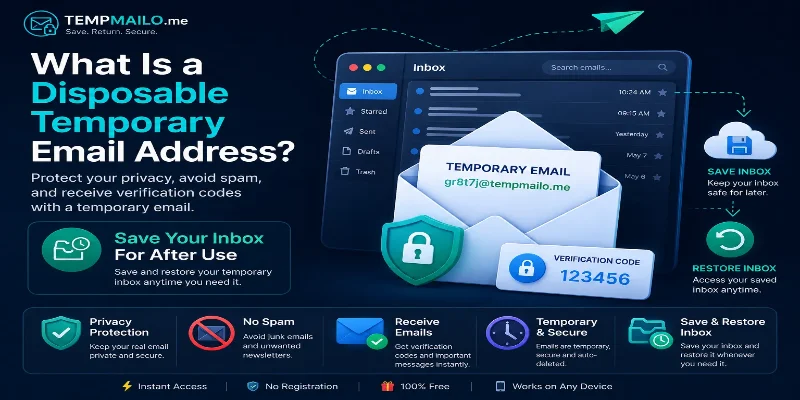
Some users prefer not to share their main inbox with every platform they test. A temporary email address can help protect privacy, reduce unwanted messages, and separate personal communication from online registrations.
This guide explains when using a temporary inbox for X-related verification can make sense, when it may not work, and how to use it responsibly.
Table of Contents
- How X Email Verification Works
- Why Users Use Temporary Email
- Privacy Benefits
- Limitations to Understand
- When It Makes Sense
- When to Avoid It
- Save & Restore Inbox
- Best Practices
- Frequently Asked Questions
- Related Guides
How X Email Verification Works
X may use email verification to confirm account ownership, send login alerts, support account recovery, or protect users from suspicious activity.
The process usually involves receiving a message with a link or code, then using that message to confirm access to the inbox.
If the task is low risk, a temp mail inbox can receive verification messages without exposing your personal email address.
Why Users Use Temporary Email
Many users do not want every platform, app, or website to know their main email address. Over time, sharing the same inbox everywhere can lead to promotional messages, account alerts, and unwanted notifications.
A temporary inbox helps keep certain online activities separate from your personal communication.
You can learn more about how this works in our guide to temporary email.
Privacy Benefits
Using a separate inbox for X-related testing or low-risk registration can provide several benefits:
- Protect your personal email address
- Reduce unwanted messages
- Separate public platform activity from private communication
- Receive simple verification messages quickly
- Test new accounts without creating a new permanent inbox
A disposable email address can be useful when you are not sure whether you will keep using a service long term.
Limitations to Understand
Temporary inboxes are not guaranteed to work on every platform. X may change its account verification rules, block certain domains, or require additional checks such as phone verification.
You should also consider account recovery. If you lose access to the email inbox later, recovering the account may become difficult.
For important accounts, creator profiles, business pages, paid subscriptions, or accounts you care about long term, a permanent email address is usually safer.
When It Makes Sense
A temporary inbox may be useful for low-risk situations where long-term access is not critical.
- Testing a new account
- Receiving a simple verification message
- Separating public activity from your personal inbox
- Trying platform features before committing
- Reducing promotional messages
These use cases are usually better suited for temporary email because they do not involve sensitive documents, payments, or serious account ownership.
When to Avoid It
Do not use a temporary inbox for an account that matters to you long term.
Avoid it for:
- Main personal X accounts
- Business or brand accounts
- Creator accounts with followers
- Accounts connected to payments or subscriptions
- Profiles used for professional communication
- Any account you may need to recover later
If losing access would create a problem, use a reliable permanent inbox instead.
Save & Restore Inbox
One limitation of many temporary inbox services is that access can disappear after the session ends. This can be inconvenient if another confirmation message arrives later.
TempMailo includes a Save & Restore Inbox feature. It allows users to save selected inboxes with a password and restore them later when needed.
This can help when you expect delayed messages or want to keep access to a specific temporary address.
Read more on the Save Temp Email page.
Best Practices
To use temporary email safely, follow these simple rules:
- Use it only for low-risk sign-ups or testing.
- Use a permanent inbox for important accounts.
- Do not receive sensitive information in temporary messages.
- Save the inbox if you may need future access.
- Review account recovery settings after registration.
- Follow the platform’s rules and avoid misuse.
Temporary email is useful for privacy, but it should not replace a secure long-term inbox for accounts that matter.
Frequently Asked Questions
Can I use temp mail for X verification?
It may work in some situations, but platforms can change their verification rules or block certain domains at any time.
Can X block temporary email addresses?
Yes. Some platforms use filters to block disposable email domains or require additional verification steps.
Should I use temporary email for my main X account?
No. A permanent email address is safer for long-term account recovery and security alerts.
Can I receive verification codes with TempMailo?
TempMailo can receive many types of emails, including registration messages and simple confirmation emails.
What if I need the inbox later?
You can save selected TempMailo inboxes and restore them later using the Save & Restore Inbox feature.
Is temporary email private?
It can improve privacy by keeping your personal address separate, but it should not be used for sensitive information.
Final Thoughts
Temporary email can be useful for X-related verification when the account is low risk, temporary, or used for testing. It helps protect your main inbox and gives you a quick way to receive messages online.
For important accounts, business profiles, creator accounts, or anything you need long term, use a permanent email address.
Used wisely, TempMailo can help you protect your privacy, reduce unwanted messages, and keep your personal inbox cleaner.